

 한국어
한국어 简体中文
简体中文 日本語
日本語 Español
Your name in Hangul. Your own Korean stamp.
Turn your Hangul name into a personal stamp for documents, journals and creative projects. Save it as a transparent PNG, ready to use.
Stamp placement example
I confirm the details above.

Four simple steps, one personal stamp
From your Hangul name to a transparent PNG. No design software needed.
Enter your name in Hangul
The name for your stamp
Choose a shape
A shape that feels right
Choose a Korean font
Compare and find your style
Save PNG
Transparent, no watermark
Find your Korean stamp style
Classic circles, gentle ovals and handmade borders. The same Hangul name, with a different character.
Create a stamp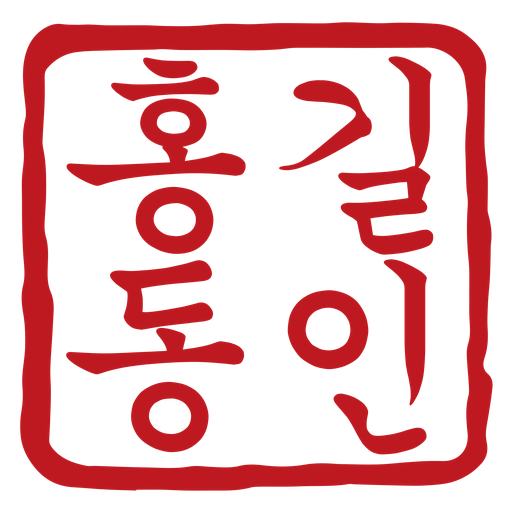
Handmade Rounded square
Soft corners, handmade character
Circle
A familiar, balanced classic
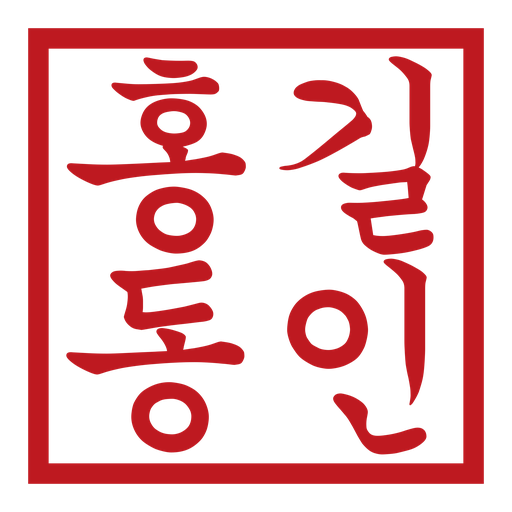
Square
A neat frame for clear lettering

Oval
A flowing vertical name
Transparent PNG with a fictional name
Frequently asked questions
Is it really free without signing up?
Yes. You can create and download a stamp PNG without an account or payment.
Will my download have a watermark?
Previews have a watermark and an opaque background. The final file from Save PNG has a transparent background and no visible watermark.
Why does the background look white or black?
Some viewers display transparent areas as white or black. Insert the original downloaded PNG, not a screenshot, into a document to check. Send it as a file to avoid image conversion in messaging apps.
Do you store my name?
The name is sent to the API for image generation, but is not recorded in usage statistics or logs. Your input and completed PNG remain only in the current tab’s memory.
I don’t know the Hangul spelling of my name.
First check how you want your name written in Hangul, then type or paste it here. Spellings vary with pronunciation. Stampng does not automatically translate or transliterate names.
Can I use Hanja too?
Fonts marked Hangul · Hanja support some Hanja. Coverage varies and some characters may be unavailable. A non-Hanja font may be replaced by Noto Serif KR.
Ready to make your own Korean stamp?
Choose your Hangul name, shape and font. Save it as a transparent PNG.